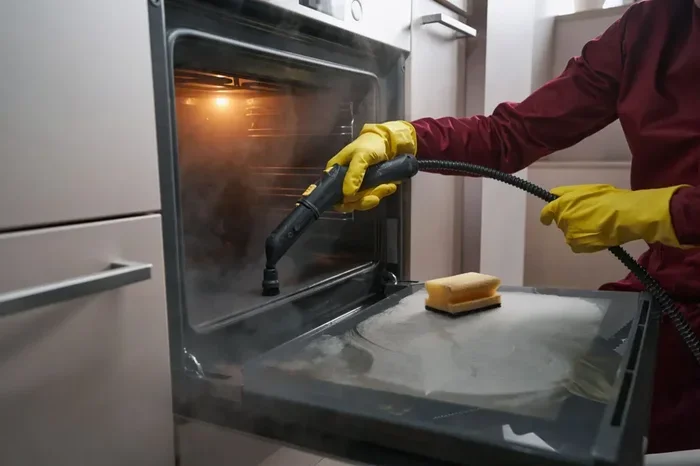
How To Use Clean Mode On Oven And Get Spotless Results
Using clean mode on your oven is the easiest way to achieve spotless results without harsh scrubbing. This guide shows you exactly how to activate and use the clean mode on oven models with self-cleaning and steam-cleaning features. You will learn the step-by-step process, safety tips, and common mistakes to avoid for a truly clean oven every time.
Your oven works hard every day. It bakes your favorite meals, roasts Sunday dinners, and heats up quick snacks. But over time, grease splatters, food spills, and baked-on residue build up inside. A dirty oven affects how your food tastes and how efficiently it cooks. The good news is that most modern ovens come with a built-in clean mode that does the heavy lifting for you.
How to use clean mode on oven might sound complicated, but it is actually very simple. Whether you have a self-cleaning oven or a steam-clean model, the process is straightforward once you know the steps. This guide walks you through everything you need to know. You will learn what clean mode is, how to activate it, and how to get spotless results every single time.
Many people avoid cleaning their oven because it feels like a big chore. Scrubbing racks, scraping burnt food, and dealing with harsh chemicals takes a lot of effort. Clean mode takes all of that away. It uses heat or steam to break down grime so you do not have to scrub. Let us dive in and explore how this feature works and how you can use it to keep your oven spotless.
Key Takeaways
- Clean mode simplifies oven maintenance: It uses high heat or steam to break down grease and food residue automatically.
- Two main types exist: Pyrolytic (self-cleaning) and steam clean modes serve different needs.
- Preparation is key: Removing loose debris and racks before starting ensures better results.
- Safety always comes first: Keep pets and children away during the cleaning cycle.
- Regular use prevents buildup: Running clean mode every few months keeps your oven in top shape.
- Natural alternatives work too: Baking soda and vinegar can supplement your oven cleaning routine.
- Post-cleaning ventilation matters: Letting the oven cool and airing out the kitchen reduces odors.
📑 Table of Contents
What Is Clean Mode On An Oven
Clean mode is a built-in feature found in most modern ovens. It uses either extreme heat or steam to dissolve grease, food particles, and grime stuck to the interior walls. Instead of spending hours scrubbing, you simply start the cycle and let the oven do the work.
There are two main types of clean mode. The first is pyrolytic cleaning, also known as self-cleaning. This method heats the oven to extremely high temperatures, usually around 900 degrees Fahrenheit. At that heat, food residue turns into ash, which you can easily wipe away. The second type is steam cleaning. This uses lower temperatures and water to create steam that loosens grease and grime. Steam cleaning takes less time and does not produce as much heat.
Both methods are effective. The right choice depends on your oven model and how dirty it is. Most ovens have a dedicated button or setting on the control panel to start clean mode. Some ovens also let you choose between light, normal, and heavy cleaning levels.
How Pyrolytic Clean Mode Works
Pyrolytic cleaning is the most common type of self-clean mode. When you start this cycle, the oven locks its door automatically for safety. The temperature rises to around 800 to 900 degrees Fahrenheit. At this extreme heat, any food residue or grease inside the oven turns into a fine white ash. The entire cycle usually takes about two to four hours. Once it finishes, you simply open the door, remove the ash with a damp cloth, and your oven is clean.
This method requires no chemicals or cleaning sprays. It is a very hands-off approach to oven maintenance. However, it does use a lot of energy because of the high temperatures. It can also produce some smoke and odor during the cycle, which is normal. Make sure your kitchen is well-ventilated while the cycle runs.
How Steam Clean Mode Works
Steam clean mode is a gentler alternative to pyrolytic cleaning. It works by heating a small amount of water inside the oven to create steam. The steam softens grease and food residue, making it much easier to wipe away. This cycle usually takes about 20 to 30 minutes, which is much faster than self-cleaning.
Steam clean mode is best for regular maintenance. If you clean your oven often, steam mode keeps it looking great without the intense heat. It also uses less energy and produces less odor. However, it may not be enough for heavily baked-on or burnt-on messes. For tough stains, you may need to repeat the cycle or use a different cleaning method.
How To Activate Clean Mode On Your Oven
Activating clean mode is simple, but the exact steps depend on your oven brand and model. Most ovens follow a similar process. Let us walk through the general steps you will need to take.
First, make sure your oven is completely empty. Remove any food, trays, baking sheets, and oven racks. These items should never go through a clean cycle because the extreme heat can damage them. Next, check the oven interior for any large pieces of food debris. Use a damp cloth to wipe away loose crumbs and spills before starting the cycle.
Now, locate the clean mode setting on your oven. On most models, you will find it on the control panel. Some ovens have a dedicated “Clean” button, while others require you to press a “Self-Clean” or “Steam Clean” option through a menu. Refer to your oven manual if you are unsure where to find it.
Once you have selected the clean mode, choose the appropriate level if your oven offers options. Heavy duty is best for tough, baked-on grime. Light duty works well for regular maintenance and minor spills. After selecting the level, press start. The oven will begin heating up, and the door will lock automatically for safety.
Let the cycle run its full course. Do not open the door during the cycle, as this can release hot steam and reduce effectiveness. Once the cycle finishes, the oven will begin to cool down. Wait until the temperature drops to a safe level before opening the door. Then, use a damp cloth to wipe away any remaining ash or residue. Your oven should now look spotless.
Step-By-Step Process For Most Oven Models
- Remove all oven racks, trays, and accessories.
- Wipe out loose debris with a damp cloth.
- Close the oven door firmly.
- Locate and press the clean mode button or setting.
- Select the cleaning level (light, normal, or heavy).
- Press start and allow the cycle to complete.
- Wait for the oven to cool completely.
- Wipe the interior with a damp cloth to remove ash or residue.
- Replace the oven racks and accessories.
Different Types Of Oven Clean Modes
Not all ovens are the same, and neither are their clean modes. Understanding the different types helps you choose the right method for your needs. Let us look at the most common clean mode options available.
Pyrolytic Self-Cleaning
Pyrolytic self-cleaning is the most powerful option. It uses very high heat to incinerate food residue. This method is excellent for ovens that have not been cleaned in a long time or have heavy buildup. The downside is that it takes several hours and uses a significant amount of energy. Some users also notice a slight burning smell during the cycle, which is completely normal and not a cause for concern.
Steam Cleaning
Steam cleaning is the faster and more energy-efficient option. It works well for regular upkeep and light to moderate grease buildup. Many newer oven models offer steam clean as a standard feature. If you clean your oven frequently, steam mode is a great choice because it keeps maintenance quick and easy.
Continuous Clean
Some ovens feature a continuous clean interior. This means the oven walls are coated with a special enamel that makes it easier to wipe away spills during normal cooking. This is not a separate mode but a feature that reduces the need for deep cleaning. If your oven has this coating, you will still need to use clean mode occasionally for best results.
Tips For Spotless Results Every Time
Getting the best results from clean mode requires a little preparation. Follow these tips to make sure your oven comes out sparkling every time.
- Clean racks separately: Remove oven racks and wash them by hand with warm soapy water. Clean mode does not clean racks effectively.
- Use baking soda for tough spots: Before starting clean mode, apply a paste of baking soda and water to stubborn stains. This helps loosen baked-on grime.
- Ventilate your kitchen: Open windows or turn on the exhaust fan before starting a pyrolytic cycle. This reduces smoke and odor.
- Do not overload the oven: A clean oven works better. Remove everything from inside before starting the cycle.
- Run a second light cycle if needed: For very dirty ovens, a second light steam cycle after the main clean can remove any remaining residue.
- Wipe immediately after cooling: Do not wait too long after the cycle ends. Wipe away ash while it is still loose for the easiest cleanup.
- Use white vinegar for extra shine: After wiping down the interior, spray a light mist of vinegar and wipe again. This removes any lingering residue and adds shine.
Best Time To Use Clean Mode
The best time to run a clean cycle is when you have plenty of time and the kitchen is well-ventilated. Many people prefer to run the self-clean cycle in the evening or on a day off. Avoid running it during hot weather, as the extra heat from the oven can make your kitchen uncomfortable. If you have a steam clean cycle, you can use it more frequently since it produces less heat and odor.
How Often Should You Use Clean Mode
For most households, running clean mode every three to six months is sufficient. If you cook frequently or often bake greasy foods, you may want to clean more often. Regular maintenance with steam clean between deep pyrolytic cycles keeps your oven in excellent condition. A well-maintained oven also cooks food more evenly and efficiently.
Common Mistakes To Avoid When Using Clean Mode
Even though clean mode is designed to be simple, some common mistakes can reduce its effectiveness or even damage your oven. Here are the errors to watch out for.
Forgetting to Remove Racks
This is the most common mistake. Leaving oven racks inside during a pyrolytic cycle can cause them to warp or discolor. The extreme heat can permanently damage the rack coating. Always remove racks before starting any clean cycle.
Not Ventilating Properly
Pyrolytic cleaning produces smoke and odor as food residue burns into ash. If your kitchen is not ventilated, the smoke can set off your smoke alarm and leave lingering smells. Always open windows and turn on the range hood before starting the cycle.
Opening the Door Mid-Cycle
Self-cleaning ovens lock automatically during the cycle for safety reasons. Opening the door releases hot steam and can interrupt the cleaning process. Wait for the cycle to finish and the oven to cool before opening the door.
Using Chemical Cleaners During Clean Mode
Never use commercial oven cleaners inside the oven during or before a clean cycle. The chemicals can produce toxic fumes when heated. Clean mode does not need additional cleaners. It works best on its own with just a damp cloth for post-cycle wiping.
Skipping Post-Cleaning Wipe Down
After clean mode finishes, some people skip the final wipe-down. This leaves behind ash and residue that can affect your next cooking session. Always wipe the interior with a damp cloth after the oven has cooled completely.
Ignoring the Oven Manual
Every oven model is slightly different. The manual provides specific instructions for your unit, including recommended cleaning frequencies and safety precautions. Skipping the manual can lead to misuse or voiding your warranty. Take five minutes to read the cleaning section in your manual.
Expert Insights On Oven Clean Mode
Professional chefs and appliance experts agree that clean mode is one of the most useful features in a modern oven. According to appliance technician Mark Stevens, “Most people do not use clean mode often enough. A quick steam clean every month can prevent heavy buildup and make deep cleaning much easier.”
Home economist Sarah Lin adds, “The key is consistency. If you use steam clean mode regularly, you rarely need a full pyrolytic cycle. It saves time, energy, and keeps your oven in great shape.”
When choosing an oven, look for models that offer both pyrolytic and steam clean options. This gives you flexibility for different cleaning needs. High-end brands like Samsung, LG, and Whirlpool offer advanced clean mode features with shorter cycle times and better energy efficiency.
One expert tip from appliance repair specialist Dave Morrison is to clean the oven door seal regularly. Grease and grime can build up on the rubber seal around the door, which affects oven performance. Use a damp cloth with a bit of baking soda to gently clean the seal at least once a month.
Key Takeaways
- Clean mode makes oven maintenance effortless: It uses heat or steam to break down grease and food residue automatically.
- Pyrolytic and steam clean are the two main types: Pyrolytic uses extreme heat for deep cleaning, while steam clean is faster and gentler.
- Always remove racks and accessories before starting: High heat can damage racks and other components.
- Ventilate your kitchen during pyrolytic cycles: This reduces smoke, odor, and the risk of setting off smoke alarms.
- Wipe down after every cycle: A damp cloth removes remaining ash and leaves the interior spotless.
- Regular use prevents heavy buildup: Running clean mode every few months keeps your oven in excellent condition.
- Read your oven manual: It contains model-specific instructions that ensure safe and effective use of clean mode.
Conclusion
How to use clean mode on oven is a skill that every home cook should master. It saves time, eliminates the need for harsh chemicals, and keeps your oven performing at its best. Whether you use pyrolytic self-cleaning for deep maintenance or steam clean for regular upkeep, the process is simple and effective.
Start by preparing your oven properly. Remove racks, wipe out loose debris, and select the right clean mode for your needs. Let the cycle run its full course, ventilate your kitchen, and finish with a gentle wipe-down. Follow these steps consistently, and your oven will always look and perform like new.
Remember that prevention is the best strategy. Clean up spills right after cooking, use oven liners to catch drips, and run a quick steam clean every few weeks. These small habits make a big difference over time. With the right approach, your oven will always deliver spotless results and delicious meals for years to come.
A clean oven is more than just about appearances. It helps your food cook evenly, reduces unpleasant odors, and keeps your kitchen smelling fresh. Take advantage of clean mode and enjoy the benefits of a well-maintained oven. Your future self will thank you every time you open that door to a sparkling clean cooking space.
Frequently Asked Questions
Can I use oven cleaner spray while using clean mode?
No, you should never use chemical oven cleaners during or before a clean cycle. The heat can cause toxic fumes to release. Clean mode works effectively without any additional cleaning products. Simply use a damp cloth to wipe the interior after the cycle finishes.
How long does the self-clean cycle take?
A standard pyrolytic self-clean cycle takes about two to four hours depending on the oven model and level of dirt. Steam clean cycles are much faster, usually taking 20 to 30 minutes. Always check your oven manual for the exact cycle time of your specific model.
Is it safe to use clean mode with children or pets at home?
The oven door locks automatically during a pyrolytic self-clean cycle, which adds a layer of safety. However, the oven exterior and the kitchen area become very hot during the cycle. Keep children and pets away from the oven while clean mode is running for their safety.
What should I do if my oven still smells after clean mode?
A slight odor after a pyrolytic cycle is normal and usually fades within a few hours. To speed up the process, open windows, turn on the exhaust fan, or place a bowl of vinegar or baking soda inside the cooled oven overnight. This absorbs any lingering smells effectively.
Can I run clean mode on an empty oven?
Yes, running clean mode on an empty oven is actually recommended. It allows the heat or steam to focus entirely on the interior surfaces. Make sure all racks, trays, and any removable parts are taken out before starting the cycle for the best results.
Why is my oven door locked during clean mode?
The door locks automatically during pyrolytic self-cleaning as a safety feature. The interior reaches extremely high temperatures, and the lock prevents accidental opening that could cause burns. The door unlocks once the oven cools down to a safe temperature, usually after the cycle completes.