How To Turn Off Ge Oven The Easy Way In Simple Steps
Knowing how to turn off GE oven is essential for every home cook and household safety. This guide walks you through the exact steps for gas and electric models, covers common problems when the oven won’t shut off, and shares expert troubleshooting tips you can use right away. Whether you are dealing with a stuck control panel, a running self-clean cycle, or just want to shut down your oven correctly, this article has you covered with clear, easy-to-follow instructions.
Have you ever walked away from your kitchen and wondered, did I turn off the oven? It happens to all of us. The good news is that learning how to turn off GE oven is quick and easy once you know where to look. In this guide, we will walk you through every step in plain language. You will learn the exact buttons and knobs to use, what to do when things go wrong, and how to keep your kitchen safe every single day.
GE ovens are some of the most popular appliances in American homes. They are reliable, feature-packed, and built to last. But like any appliance, they can sometimes be a little confusing to operate. Maybe your oven display is flashing, or the knob feels stuck, or the self-clean cycle just will not end. Whatever the situation, this article gives you the answers. By the time you finish reading, you will feel confident shutting off your GE oven in seconds.
We wrote this guide for real people in real kitchens. No jargon, no confusing manual language, just clear steps that work. We also included troubleshooting tips for when the oven does not behave as expected. Let us get started.
Key Takeaways
- Turning off a GE oven is simple: just press the correct button or turn the knob to the off position.
- Different GE models have different controls: learn what type of oven you own to shut it off correctly.
- A GE oven that won’t turn off can be dangerous: common causes include control lock, faulty sensors, or active self-clean cycles.
- Quick resets and basic troubleshooting often solve the problem without calling a technician.
- Safety always comes first: unplug the oven or turn off the circuit breaker if you suspect a serious issue.
- Regular maintenance keeps your oven running smoothly and prevents shutdown problems.
📑 Table of Contents
Understanding Your GE Oven Control Panel
Before you learn how to turn off GE oven, it helps to understand what you are looking at. GE makes several types of ovens, and each one has a slightly different control layout. Knowing your model type makes the shutdown process much smoother.
Types of GE Oven Controls
Most GE ovens fall into two main categories: touchpad models and knob models. Both are straightforward, but they work a bit differently when it comes to powering down.
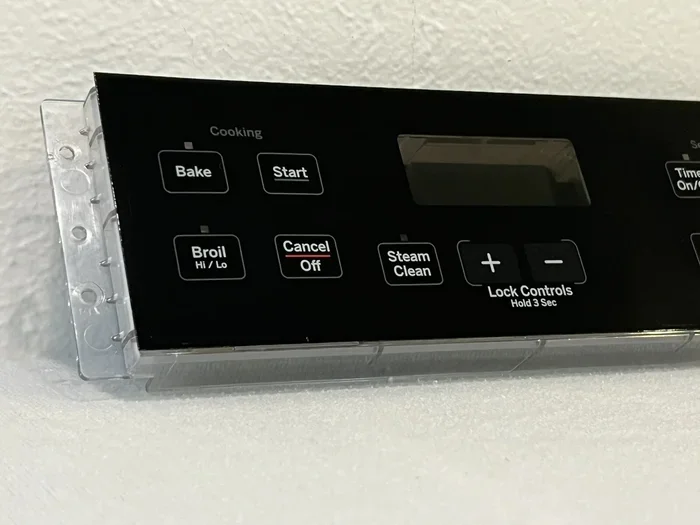
- Touchpad models: These ovens use a digital display and touch-sensitive buttons. You will see icons for bake, broil, self-clean, and more. The power button or off button is usually clearly labeled on the panel.
- Knob models: These are the older-style ovens with physical dials. You simply turn the temperature knob or the mode knob to the off position.
- Combination models: Some newer GE ovens use a mix of knobs and touch buttons. These require a slightly different approach, which we will cover below.
Where to Find Your Model Number
Your GE oven model number is usually printed on a sticker inside the oven door frame or on the back of the unit. Write it down and keep it handy. When you need to look up specific instructions or order replacement parts, the model number saves you a lot of time. It also helps you find the exact user manual on the GE website.
Step-by-Step: How To Turn Off GE Oven
Now let us get to the heart of the matter. Here is exactly how to shut down your GE oven, no matter what type you own. Follow these steps carefully and you will have the oven off in under a minute.
For Touchpad GE Ovens
- Check the display screen. Look at the digital panel on the front of the oven. If it is showing a cooking mode like “Bake” or “Broil,” the oven is currently active.
- Press the Cancel button. This is usually the first step to stop any active cooking cycle. The display should change or go blank.
- Press the Off button. Some GE models have a dedicated Off button. If you do not see one, pressing Cancel twice often does the trick.
- Verify the oven is off. Check that the display is dark or shows no active mode. You should also listen for any fan or heating sounds to stop.
For Knob-Style GE Ovens
- Locate the mode knob. This is the dial that selects Bake, Broil, or Self-Clean.
- Turn the knob to Off. Rotate it clockwise or counterclockwise until it clicks into the Off position.
- Check the temperature knob. If your oven has a separate temperature dial, make sure it is also set to the lowest setting or Off.
- Listen for confirmation. A properly turned-off oven should make no humming or clicking sounds after a few moments.
For Combination Control GE Ovens
- Press Cancel to stop cooking. This applies to any active bake, roast, or broil function.
- Hold the Off button for three seconds. On some combination models, you need to press and hold rather than just tap.
- Check the control lock. If the panel is locked, you will need to unlock it first. We cover this in detail in the troubleshooting section below.
Quick Tips for Shutting Down Your Oven
- Always let the oven cool for a few minutes before turning it off completely if it has been at a very high temperature.
- Keep the oven door slightly ajar after turning it off if you want to speed up cooling.
- Never force a knob or button. If it does not move easily, there may be a control lock or technical issue.
- Make it a habit to turn off the oven at the end of every cooking session. This prevents accidents and saves energy.
Common Reasons Your GE Oven Won’t Turn Off
Sometimes the oven does not respond when you try to turn it off. This can be frustrating and a little scary. Let us look at the most common reasons this happens and what you can do about each one.
Control Lock Is Activated
The control lock feature is designed to prevent accidental button presses, especially in households with children. When the lock is on, none of the buttons will work, including the Off button. This is one of the top reasons people think their oven is stuck on.
To fix this, look for a lock icon on the display. On most GE models, you can unlock the controls by holding the Lock button for three to five seconds. The lock icon should disappear from the screen, and the buttons will become responsive again. Once unlocked, simply press Off or Cancel to shut the oven down.
Self-Clean Cycle Is Still Running
The GE self-clean cycle uses extremely high temperatures to burn off food residue inside the oven. During this cycle, the oven door locks automatically, and the oven will not turn off until the cycle completes. This is normal and by design.
If you need to stop the self-clean cycle early, you can press Cancel or turn the oven off at the circuit breaker. However, GE recommends letting the cycle finish whenever possible. The oven will unlock automatically once the interior temperature drops to a safe level. This usually takes about 30 to 60 minutes after the cycle ends.
Faulty Temperature Sensor
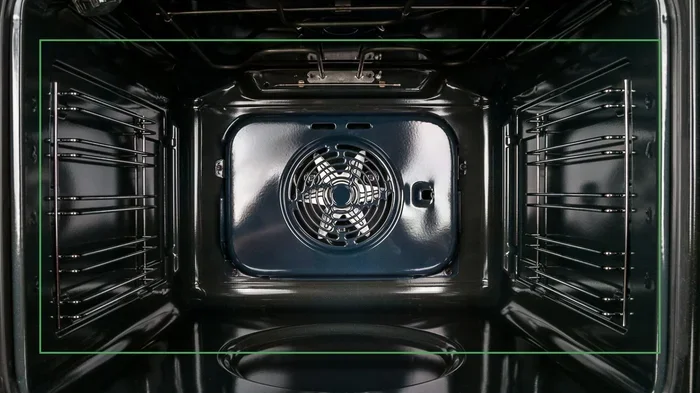
The temperature sensor is a small probe inside the oven cavity. It tells the oven when to stop heating. If this sensor fails, the oven may continue to heat even after you have pressed Off. You might notice that the oven stays hot long after you turned it off, or the display shows an error code.
A faulty sensor usually needs to be replaced. This is a relatively inexpensive part, and the replacement process is straightforward for most GE oven models. We recommend consulting your user manual or calling a professional if you are not comfortable doing it yourself.
Stuck or Damaged Control Board
The electronic control board is the brain of your oven. It processes all button inputs and controls the heating elements. If the control board malfunctions, the oven may not respond to the Off command at all.
Signs of a failing control board include unresponsive buttons, flashing error codes, and the oven staying on despite multiple attempts to shut it down. In most cases, a control board replacement is necessary. This is a job best left to a qualified appliance technician.
Oven Timer Still Active
Some GE ovens have a separate timer function that keeps the oven running even after the cooking cycle ends. The timer may be set to a duration that has not yet elapsed, which keeps the oven in standby mode.
To fix this, check the timer display. If the timer is counting down, let it finish or press the Timer Off button if your model has one. Once the timer is cleared, the oven should power down normally.
Troubleshooting Tips When the Oven Stays On
If your oven is still running after you have tried the basic shutdown steps, do not panic. There are several things you can try before calling for help. These troubleshooting tips cover the most common scenarios.
Reset Your GE Oven
Resetting the oven is like giving it a fresh start. It clears temporary glitches and resets the control board. Here is how to do it:
- Turn off the oven using the controls if possible.
- Unplug the oven from the wall outlet.
- Wait 60 seconds.
- Plug the oven back in.
- Turn it on and test the Off button.
This simple reset fixes the problem in many cases. It takes less than two minutes and costs nothing.
Check the Circuit Breaker
Sometimes the issue is not the oven itself but the electrical supply. If your oven is on a shared circuit, a tripped breaker could be causing erratic behavior. Go to your home’s electrical panel and check the breaker labeled for the oven. If it has tripped, flip it back to the On position and wait a few minutes before trying to use the oven again.
Inspect the Oven Door Seal
A damaged door seal can cause heat to escape, which may make the oven run longer than needed. Check the rubber gasket around the oven door. If it is cracked, loose, or missing in spots, the oven may struggle to maintain the correct temperature. Replacing a door seal is an easy DIY fix and can improve your oven’s efficiency significantly.
Look for Error Codes on the Display
GE ovens display error codes when something is wrong. Common codes include F1, F2, F3, F4, and F5. Each code corresponds to a specific issue. Check your user manual or visit the GE support website to decode the message. This can save you a lot of guesswork and help you determine whether it is a simple fix or a job for a technician.
Common Mistakes People Make When Turning Off Their Oven
- Pressing the wrong button: Many people accidentally press Start or Bake instead of Off. Always double-check the display after pressing a button.
- Forcing a knob: If a knob feels stuck, do not force it. This can damage the mechanism. Instead, try unlocking the controls first.
- Ignoring error codes: Flashing codes on the display are your oven trying to tell you something. Ignoring them can lead to bigger problems.
- Leaving the oven on overnight: This is a fire hazard. Always make it a habit to check that the oven is off before going to bed.
- Not reading the manual: The user manual contains model-specific instructions that can save you time and frustration.
Safety Tips and Best Practices
Owning a GE oven comes with responsibility. A few simple safety habits can protect your home and your family from accidents. Here are the best practices every oven owner should follow.
Always Verify the Oven Is Off
Make it a routine to check the oven controls before leaving the kitchen or going to bed. A quick glance at the display or a gentle touch on the knob can prevent a dangerous situation. This is especially important if you have children or pets in the home.
Keep the Area Around the Oven Clear
Store flammable items like towels, paper, and plastic away from the oven. Heat can transfer to nearby objects and cause a fire. Keep at least 12 inches of clear space around the oven at all times.
Use Oven Mitts and Handle with Care
The oven door and interior can reach very high temperatures. Always use thick oven mitts when opening the door or removing dishes. Be especially careful during and after the self-clean cycle, when the oven interior is at its hottest.
Install a Smoke Detector Nearby
A working smoke detector in or near the kitchen is one of the best safety investments you can make. Test it monthly and replace the batteries at least once a year. This small device can save lives.
Regular Maintenance Keeps Your Oven Safe
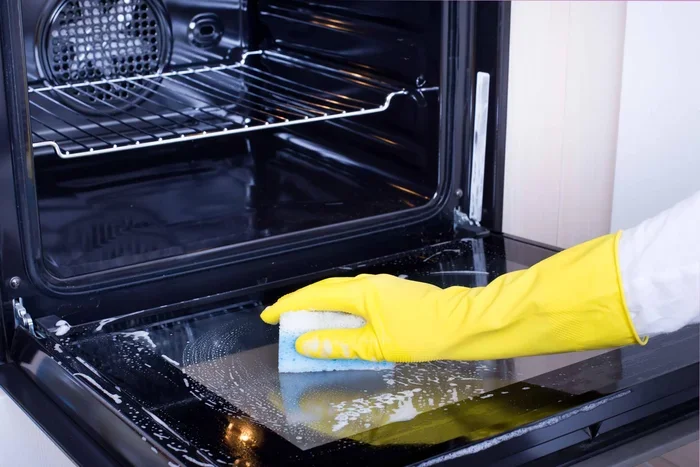
Clean your oven regularly to prevent grease buildup. Grease can catch fire at high temperatures. Wipe up spills promptly and run the self-clean cycle as needed. Also, check the door seal and control panel periodically for signs of wear or damage.
When to Call a Professional
Most oven shutdown issues can be resolved with the steps outlined in this guide. However, there are situations where professional help is the safest and smartest choice.
Call a GE-certified technician if you experience any of the following:
- The oven remains on after a full reset and breaker check.
- The control board shows persistent error codes that do not clear.
- The oven emits a burning smell or unusual noises.
- The door will not unlock after a self-clean cycle.
- You smell gas near a GE gas oven (this is an emergency, so leave the house and call your gas company immediately).
Trying to repair electrical components on your own can be dangerous and may void your warranty. A professional technician has the training, tools, and replacement parts to fix the problem safely and correctly.
Conclusion
Learning how to turn off GE oven is one of the simplest yet most important skills for any home cook. Whether you own a touchpad model, a knob-style oven, or a combination unit, the steps are straightforward and easy to remember. The key is to stay calm, check the controls, and follow the right sequence for your specific model.
If your oven does not turn off, the most common culprits are the control lock, a running self-clean cycle, a faulty sensor, or an active timer. A quick reset or a breaker check often solves the problem. And remember, when in doubt, a professional technician is always a phone call away.
Take a few minutes today to familiarize yourself with your oven’s controls. Practice the shutdown steps so you feel confident and prepared. A little knowledge goes a long way in keeping your kitchen safe, efficient, and running smoothly for years to come. Now you have everything you need to handle your GE oven shutdown with ease.
Frequently Asked Questions
Why won’t my GE oven turn off when I press the Off button?
This is usually caused by an activated control lock, a running self-clean cycle, or a faulty control board. Try unlocking the controls first by holding the Lock button for three to five seconds. If that does not work, unplug the oven for 60 seconds and plug it back in. If the problem persists, check for error codes on the display or call a professional technician.
Can I turn off my GE oven by unplugging it?
Yes, unplugging the oven is a safe and effective way to shut it down in an emergency. However, this should not be your regular method. Frequent unplugging can wear out the power cord and plug. Use the oven’s built-in controls for normal shutdowns and reserve unplugging for troubleshooting or emergencies only.
Is it safe to leave my GE oven on overnight?
No, leaving any oven on unattended overnight is a fire hazard. Modern ovens have automatic shutoff features, but these are not foolproof. Always turn off your oven before leaving the kitchen or going to bed. This simple habit protects your home and your family.
How do I unlock the control panel on my GE oven?
Most GE ovens have a control lock feature. To unlock it, press and hold the Lock button for three to five seconds until the lock icon disappears from the display. If your model does not have a Lock button, try pressing and holding the Off button or the Bake button for several seconds. Check your user manual for model-specific instructions.
What should I do if my GE oven smells like burning after turning it off?
A slight smell after a self-clean cycle is normal and comes from the burning of food residue inside the oven. Open a window and turn on the vent fan to ventilate the area. However, if the smell is strong, persistent, or accompanied by smoke or unusual noises, turn off the oven at the breaker and call a technician immediately.
How often should I clean my GE oven to keep it running properly?
You should wipe down the interior of your oven after every use to prevent grease and food buildup. A deeper clean, including the self-clean cycle, should be done every one to three months depending on how often you cook. Regular cleaning helps the oven heat evenly, reduces odors, and extends the life of the appliance.